
Skip to content
Template for barbershops

Appointment System and Website for Barbershops

Your customers view your haircuts, choose a stylist and time slot, and book an appointment without calling you. You manage appointments, products, and monthly billing from your cell phone—whether you're in Quito or any other city in Ecuador. Up and running in 24 hours or less for $25 a month + VAT.

Would you rather write? Message us on WhatsApp

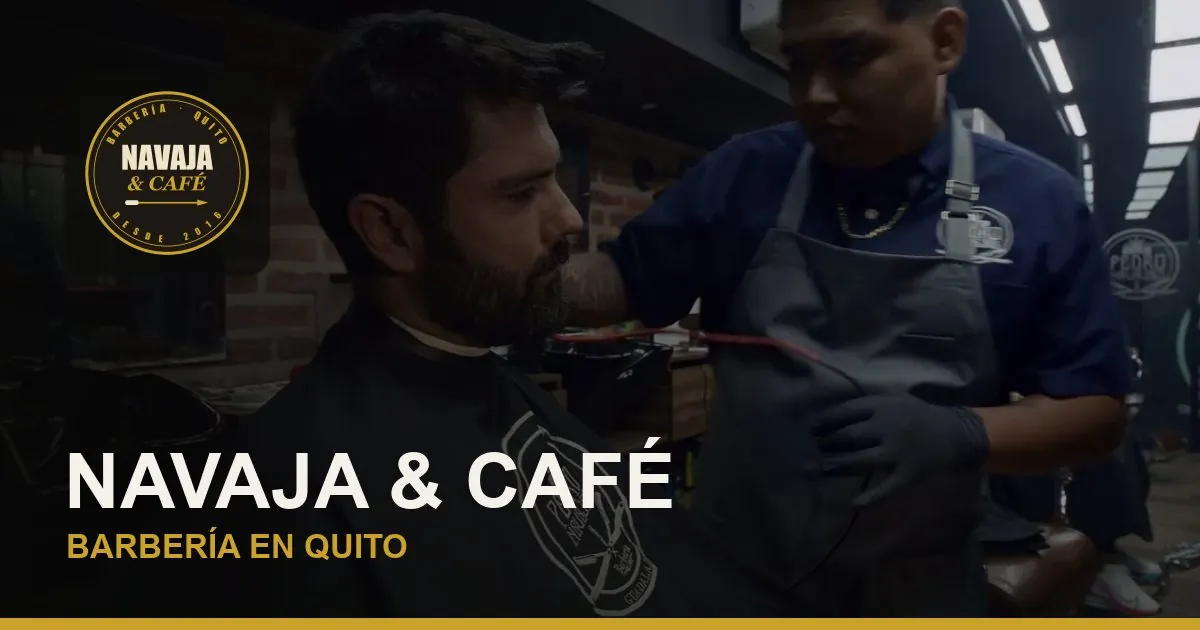
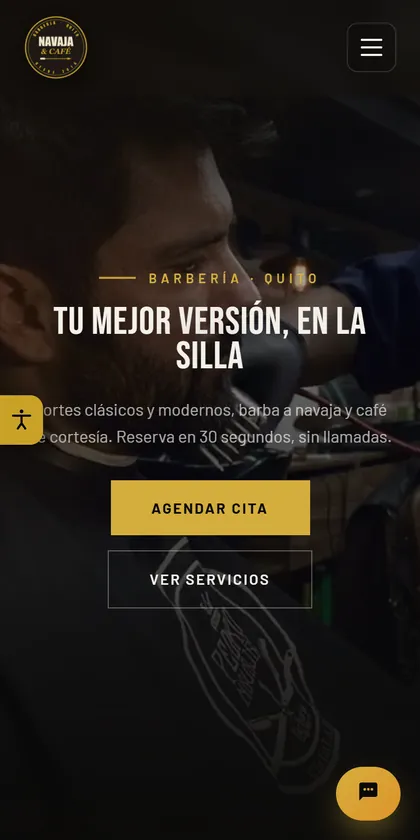
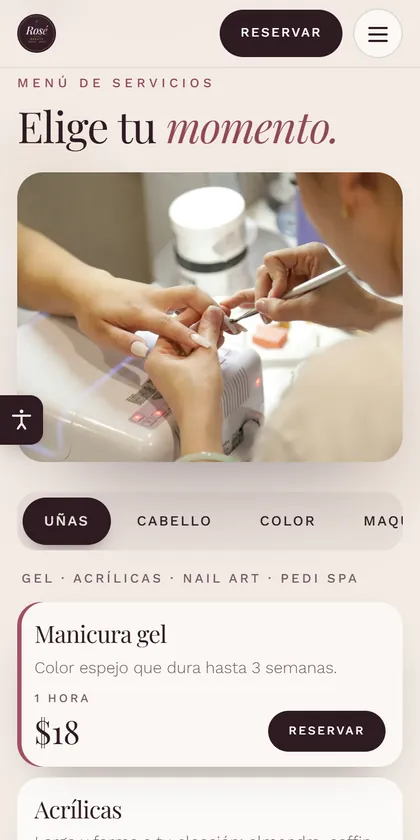
demo site built with the barbershop template
Navaja & Café · demo site built with the barbershop template

What's included

  • Services with prices and duration
  • Gallery of haircuts with photos and videos
  • Booking by barber and time, without creating an account
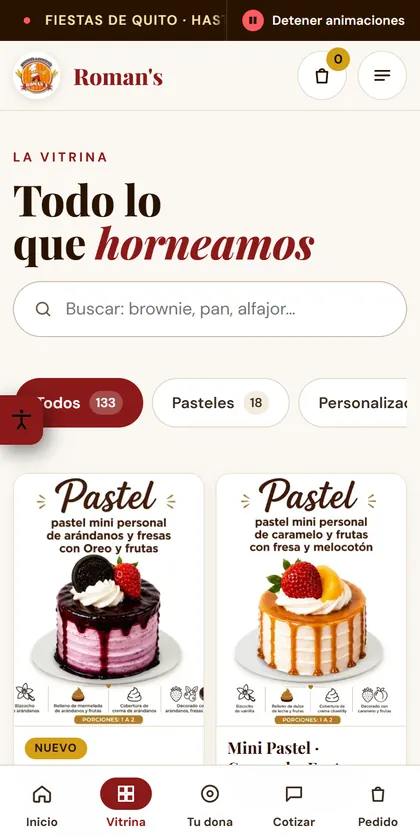
  • Product store with online ordering
  • Dashboard with the day's appointments, orders and the month's accounts
  • WhatsApp button, map and opening hours
  • SRI electronic invoices from your dashboard, with the click of a button (optional)
product store
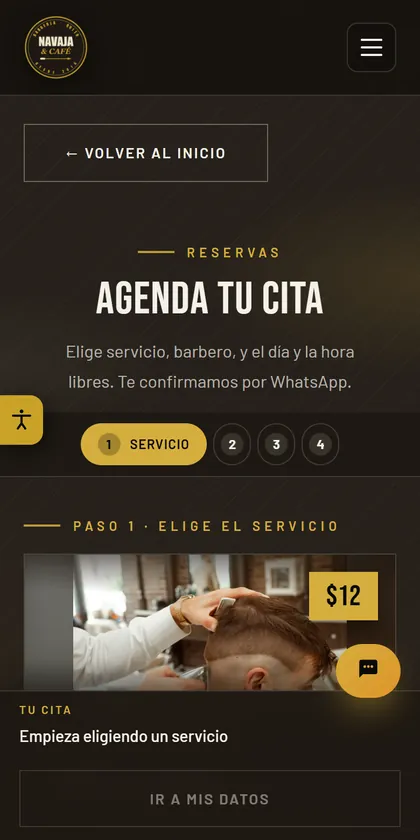
online appointment booking
Navaja & Café · product store

An appointment scheduling system, not just a webpage

Each service has its own price and duration, and each barber has their own schedule: your customers only see the times when you're actually available. They can book without creating an account, and if they need to reschedule or cancel, they can do it themselves using their code.

You open the dashboard and see today's barber appointments, your store's orders, and this month's revenue. It's your calendar, your cash register, and your website—all in one place.

admin panel: upcoming appointments
online appointment booking
Navaja & Café · admin panel: upcoming appointments

Ready within 24 hours at most

You don't start from scratch: the template already has the design and features a barbershop needs. Within 24 hours at most you get access to your dashboard: add your texts, photos, services and prices, and your website goes online. Afterwards you change whatever you want, without paying for each change.

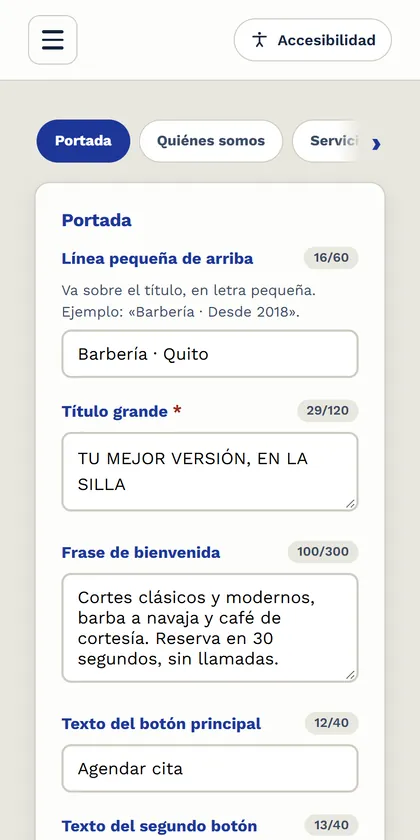
admin panel: the texts with the live site beside them
Navaja & Café · admin panel: the texts with the live site beside them

No lock-in

$25 a month + VAT with hosting, security certificate, dashboard and support on WhatsApp. You can cancel whenever you want and your website stays active until the last day of the period you paid for.

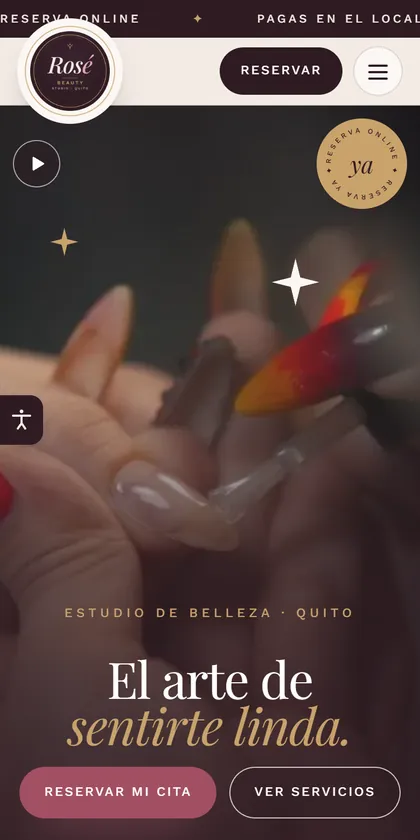
demo site built with the barbershop template
product store
Navaja & Café · demo site built with the barbershop template · product store

Ready for your social media

Share your barbershop's link on WhatsApp or post it on Facebook and it shows its card: the photo of your shop, your logo, your name and what you do. Your customers recognize your brand before opening it.

Put it in your Instagram bio and in your statuses: whoever opens it sees your cuts and your prices and books their appointment right there.

Navaja & CaféAhora · 🌎

Estrenamos web: elige tu barbero, tu día y tu hora sin escribirnos.

Tarjeta de Navaja & Café al compartir su web

HCODE.ECNAVAJA & CAFÉ · Barbería en Quito

Navaja & Café · this is how the link to its website looks on Facebook and WhatsApp: the website builds the card, title and description on its own (sample message and post).

Projects we have already delivered

See the full portfolio
SRI Electronic Invoicing

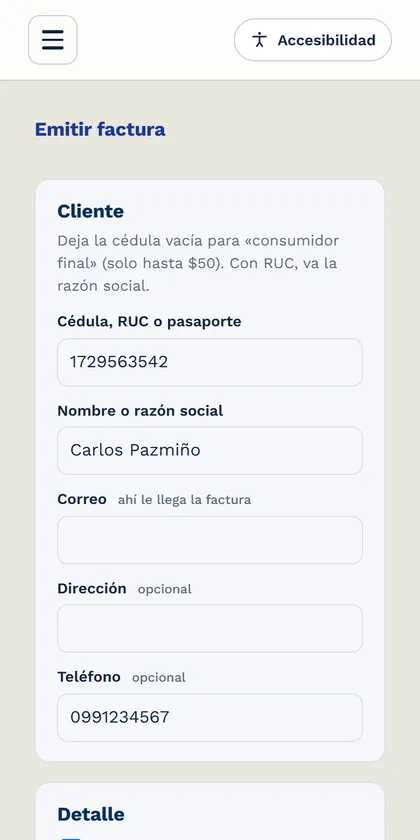
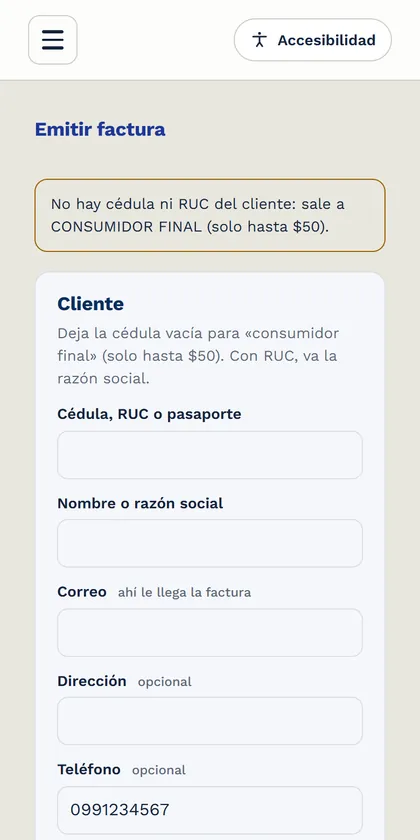
Here's what your billing looks like in the dashboard

Every appointment you've completed and every product in your store is billed with a single click when you mark it as completed.

  • Your RUC information and your electronic signature—just once.
  • The invoice is generated automatically: “SRI Invoice” with a single click, or on its own with automatic invoicing.
  • The SRI approves it, and your client receives it by mail in XML and PDF formats.
  • Cash, bank transfer, or a combination of both; credit memos and the monthly VAT summary.

All About the Billing Specialist

Electronic invoicing on your dashboard (RUC and test signature)
invoice already filled out based on the appointment that took place
Navaja & Café · Electronic invoicing on your dashboard (RUC and test signature)

Invoicing is that easy

  1. You serve customers and collect payment Your client gets a haircut or a manicure and pays you, as usual.
  2. You press a button Tap “SRI Invoice,” and the invoice fills out on its own. If you want, you don’t even have to do that—it can be generated automatically.
  3. The SRI approves it Within seconds, the SRI approves it, and your client receives it by email, along with the PDF and XML files.

And at the end of the month The dashboard generates a summary of your invoices for your VAT return, using your own RUC and your electronic signature.

Do you need something that isn't here? We also create custom solutions: apps, inventory systems, accounting systems, and more

Regulations and Safety

How We Build Each Website

Every website we deliver complies with international accessibility and security standards and is optimized for mobile devices and Google. Here's what that means, in simple terms.

Accessible to everyone

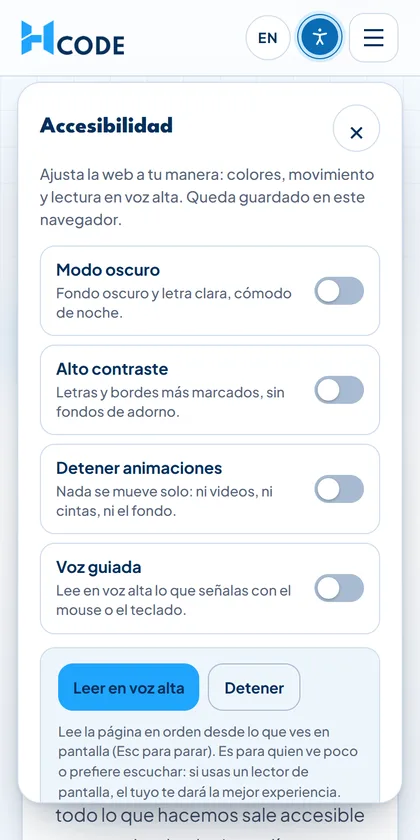
We develop it in accordance with the WCAG 2.1 Level AA guidelines (the ISO/IEC 40500 standard, known as NTE INEN-ISO/IEC 40500 in Ecuador, as required by RTE INEN 288) and test it using a keyboard, a screen reader, and automated tools.

What does it mean?
Security According to OWASP

OWASP is the international web security guide: hundreds of automated tests with every change, security headers, passwords that can't be guessed, and lockout after several failed attempts.

Your data, encrypted and protected

Your data and your customers' data are encrypted and handled in accordance with the Organic Law on Personal Data Protection (LOPDP). Each business can only see its own data.

Daily backups and server updates

We back up our data every day and keep the server up to date with the latest security patches.

Fast—even on your cell phone

Lightweight photos (WEBP), compressed videos, and pages optimized for every screen: your website loads quickly even if your cell phone signal isn't the best.

Ready for Google and social media

Each page appears with its title, description, and metadata for Google and AI assistants, and with its own card when the link is shared on WhatsApp or Facebook.

  • ISO/IEC 40500
  • WCAG 2.1 AA
  • OWASP
  • LOPDP
  • Daily copies

Read our accessibility statement

Frequently asked questions

What people ask us most

Ask us on WhatsApp
How much does the website for my barbershop cost?

$25 a month + VAT, with hosting, security certificate, dashboard and bookings included, and no lock-in.

Does it work like an app that lets my clients schedule appointments?

Yes. Your customers open the link to your barbershop on their cell phones, choose a barber, a day, and a time, and make a reservation without downloading anything or creating an account. You can see the day's appointments on your dashboard.

Will this help me manage my barbershop?

Yes. On the dashboard, you can see your appointments for the day, your store's orders, and your monthly finances: your income, your expenses, and how much you have left.

Can my customers change or cancel their appointment?

Yes, with the code they receive when booking, without calling you and without creating an account.

How is it different from a booking app?

On a booking app, your barbershop is just another listing alongside the competition. Here, you have your own website—with your name, your haircuts, and your shop—and from the same dashboard, you can manage appointments, monthly accounts, and—if you enable it—SRI billing.

Does it work if my barbershop isn't in Quito?

Yes. Everything works online: barbershops in Guayaquil, Cuenca, Ambato, Manta, or any other city in Ecuador use it the same way, and support is provided via WhatsApp.

What happens if I cancel the subscription?

You can cancel whenever you want: there is no lock-in contract and your website stays active until the last day of the period you paid for.

Can I issue electronic invoices from my dashboard?

Yes, if you activate it. You upload your electronic signature once, specify which items include VAT and which do not, and for every order, appointment, or payment, you issue the invoice with the click of a button: it’s sent to the SRI, authorized, and delivered to your customer via email as both an XML and a PDF file. On your website, your customers can enter their billing information when they make a reservation or place an order.

You may also find this useful

Your website ready in 24 hours?

Order your website and within 24 hours at most you get access to your dashboard to fill it in your way. No lock-in.

Get a quote